Docker Usage
You can run Pico as a Docker container. If your stack is primarily containerised (such as the Pico Stack), this makes the most sense. This is quite simple and is best done by writing a Docker Compose configuration for Pico in order to bootstrap your deployment.
However, running Pico in a container comes with a few things you need to know first.
The Docker API Socket
If your targets use Docker related commands/tools in their up/down
properties, those tools will need access to the Docker API running on the host
because these commands are executed inside the Pico container.
The Pico image is built on the docker/compose image. This means you must mount
the Docker API socket into the container, just like Portainer or cAdvisor or any
of the other Docker tools that also run inside a container.
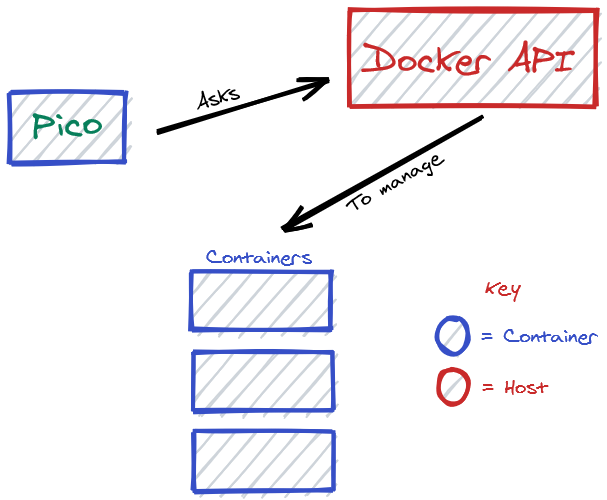
The socket is located by default at /var/run/docker.sock and the
docker/compose image expects this path too, so you just need to add a volume
mount to your compose configuration:
Using HOSTNAME in Containers
Another minor detail you should know is that Pico exposes a HOSTNAME variable
for the configuration script. However, when in a container, this hostname is a
randomised string such as b50fa67783ad. This means, if your configuration
performs checks such as if (HOSTNAME === 'server031'), this won't work. To
resolve this, Pico will attempt to read the environment variable HOSTNAME and
use that instead of using /etc/hostname.
This means, you need at least these two variables to properly start Pico securely:
Docker Compose and ./ in Container Volume Mounts
Another caveat to running Pico in a container to execute docker-compose is the
container filesystem will not match the host filesystem paths.
If you mount directories from your repository - a common strategy for versioning
configuration - ./ will be expanded by Docker compose running inside the
container, but this path may not be valid in the context of the Docker daemon,
which will be running on the host.
The solution to this is both DIRECTORY: "/cache" and /cache:/cache: as long
as the path used in the container also exists on the host, Docker compose will
expand ./ to the same path as the host and everything will work fine.
This also means your config and target configurations will be persisted on the host's filesystem.